Your Loss Tree ranks by downtime. But the fix with less downtime often recovers 3× more throughput. ReliaSim models the whole system — validated within 1% OEE — so you invest where it actually matters. No simulation expertise required.
Every system has multiple ways to improve. Which lever do you pull?
Consider two failure modes with identical total downtime per week. Your historian treats them the same. Your Loss Tree puts them in the same priority tier. But eliminating them produces completely different system-level results — because cascade effects never appear under the original failure's name.
No simulation degree required. If you can describe your line, you can model it.
Set your scope. Establish rates and conversions. Mark where decoupling exists today — and place zero-capacity buffers where it could exist tomorrow. Your Perfect Production pops right out as the OEE denominator.
Draw your production line node by node. Set rates, add buffers, mark decoupling points.
Source
Filler A
Capper A
Labeler A
Filler B
Capper B
Labeler B
Case Packer
Palletizer
SinkFeed historian data to to find the right failure distributions. For new systems, the Interrupt Designer lets you choose shapes manually.
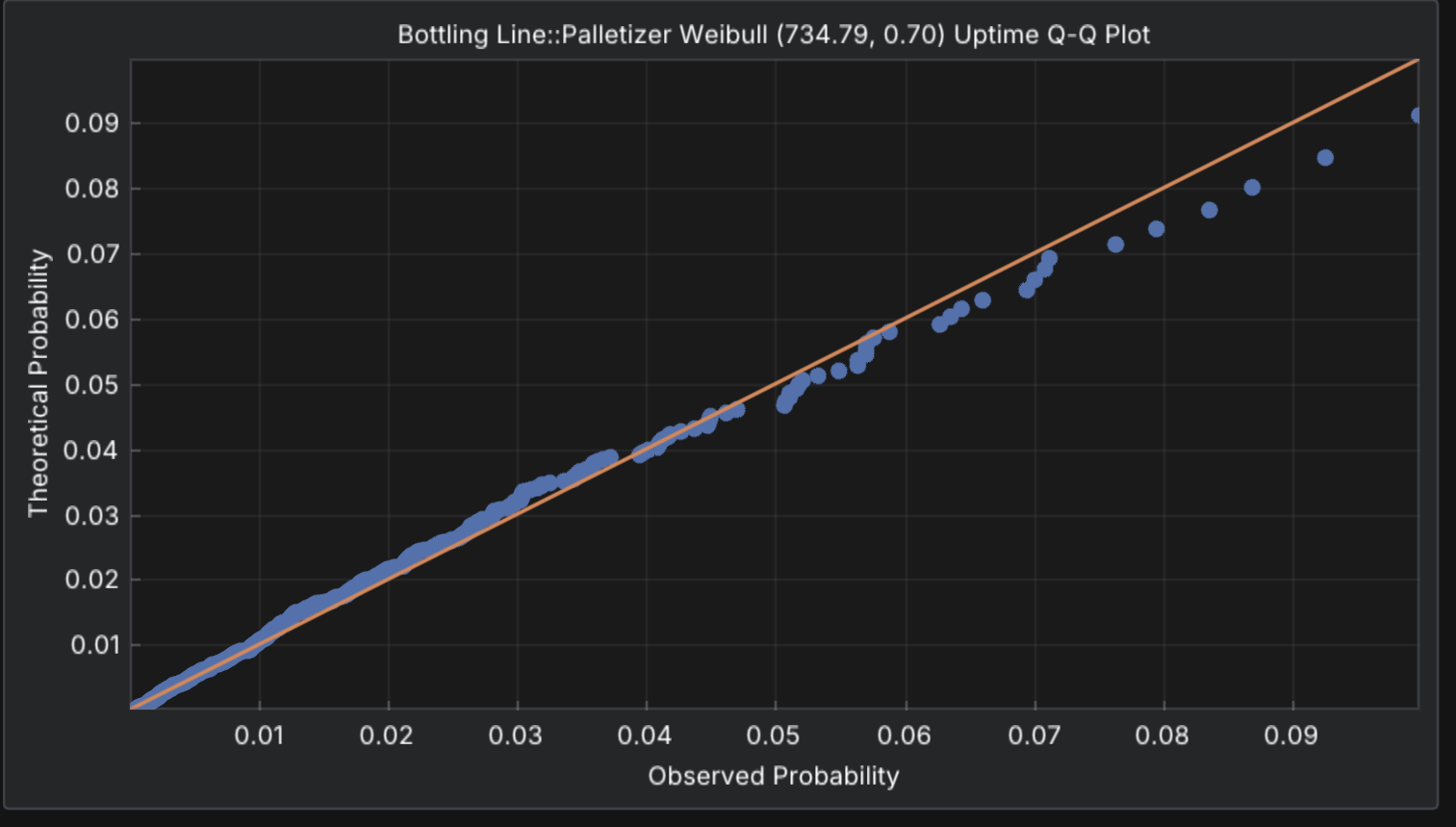
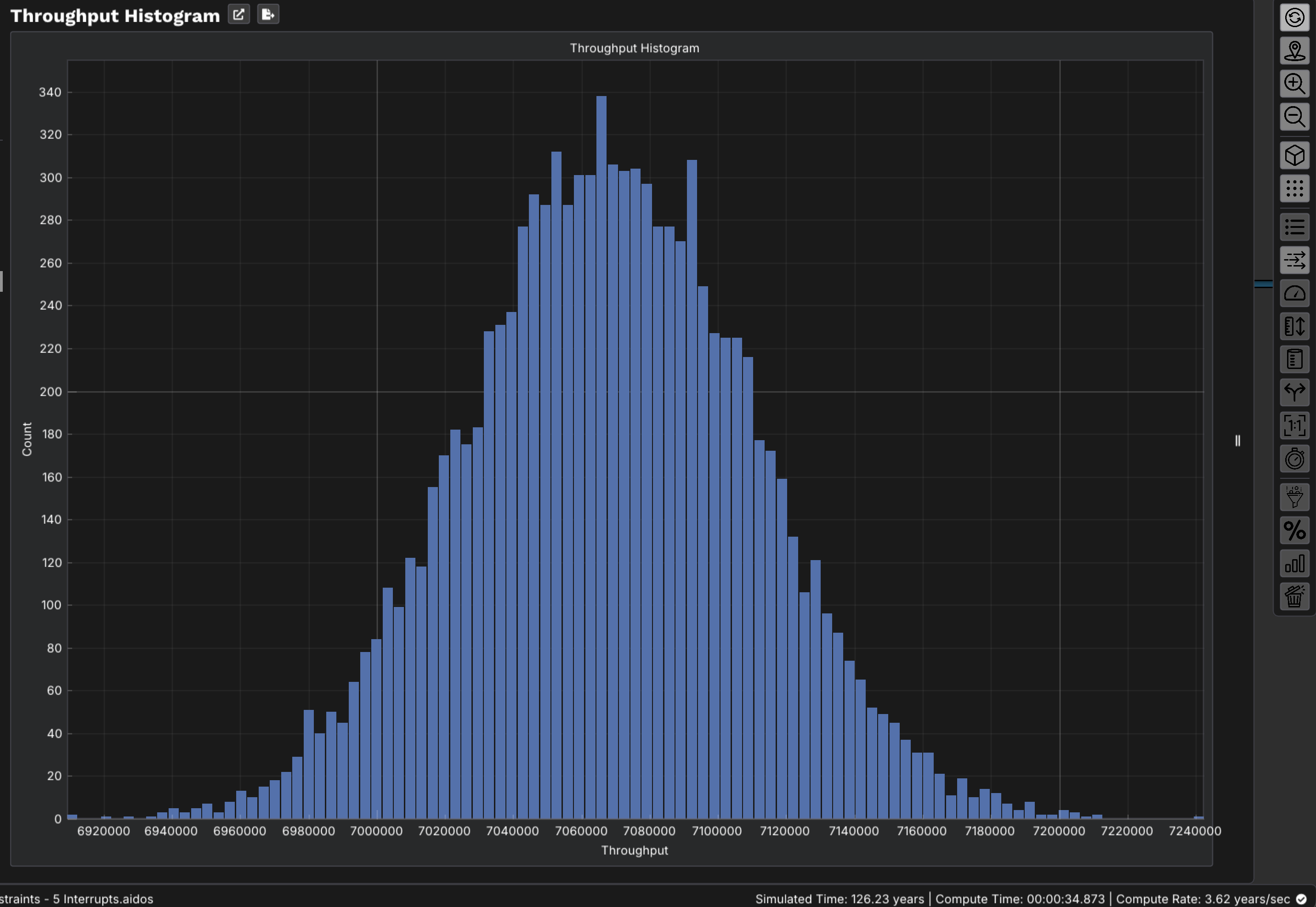
For systems without data, select distribution shapes from your reliability process.
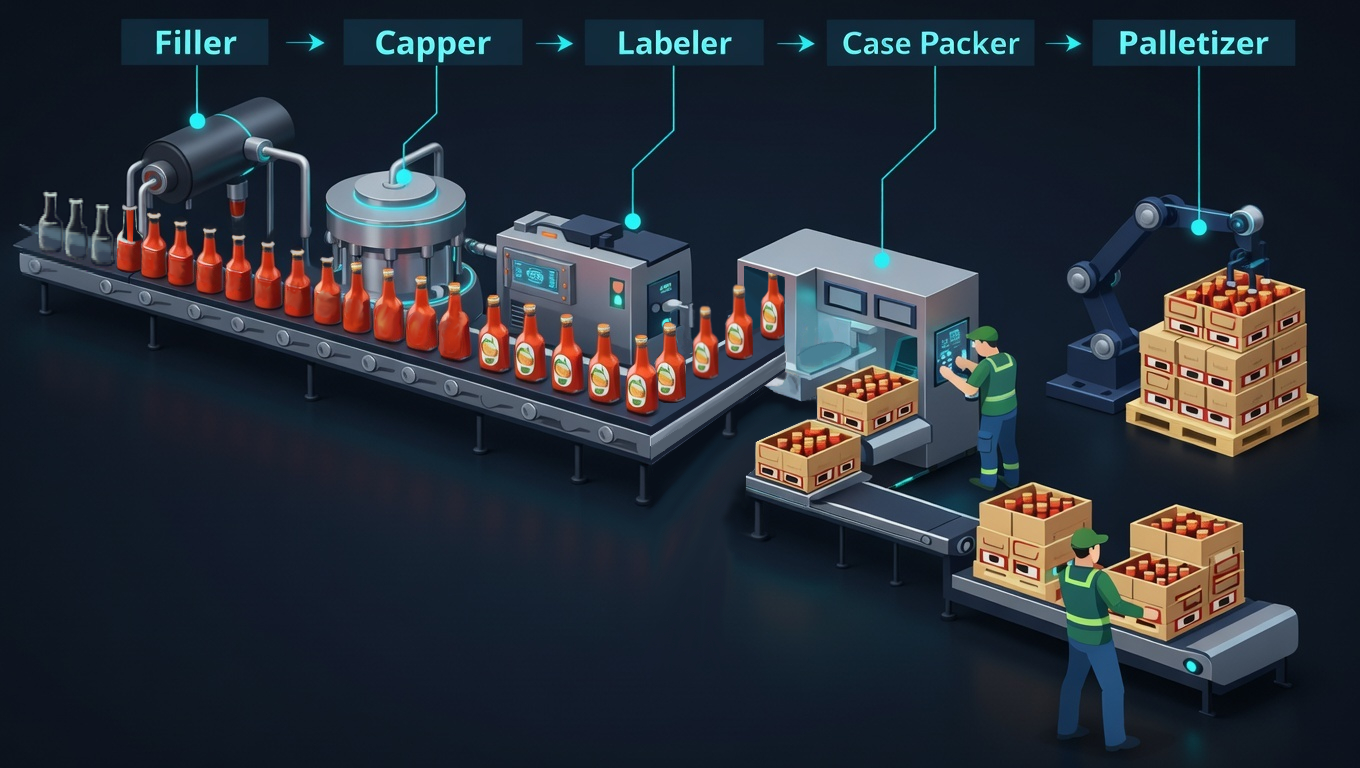
Each machine is an actor with its own rhythm. When the ensemble performs together, blocking and starving emerge from the interaction.
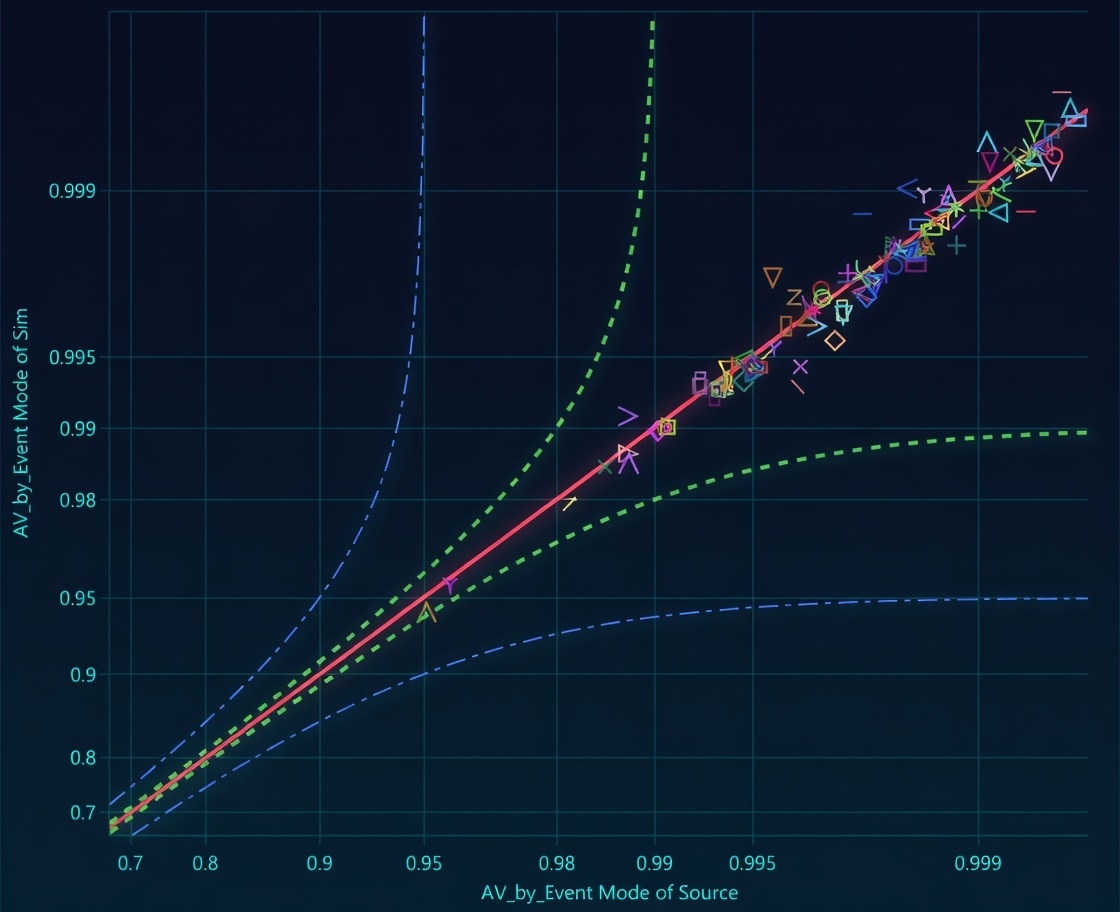
Compare to your historian. Each point is an interrupt. On the diagonal = model matches reality.
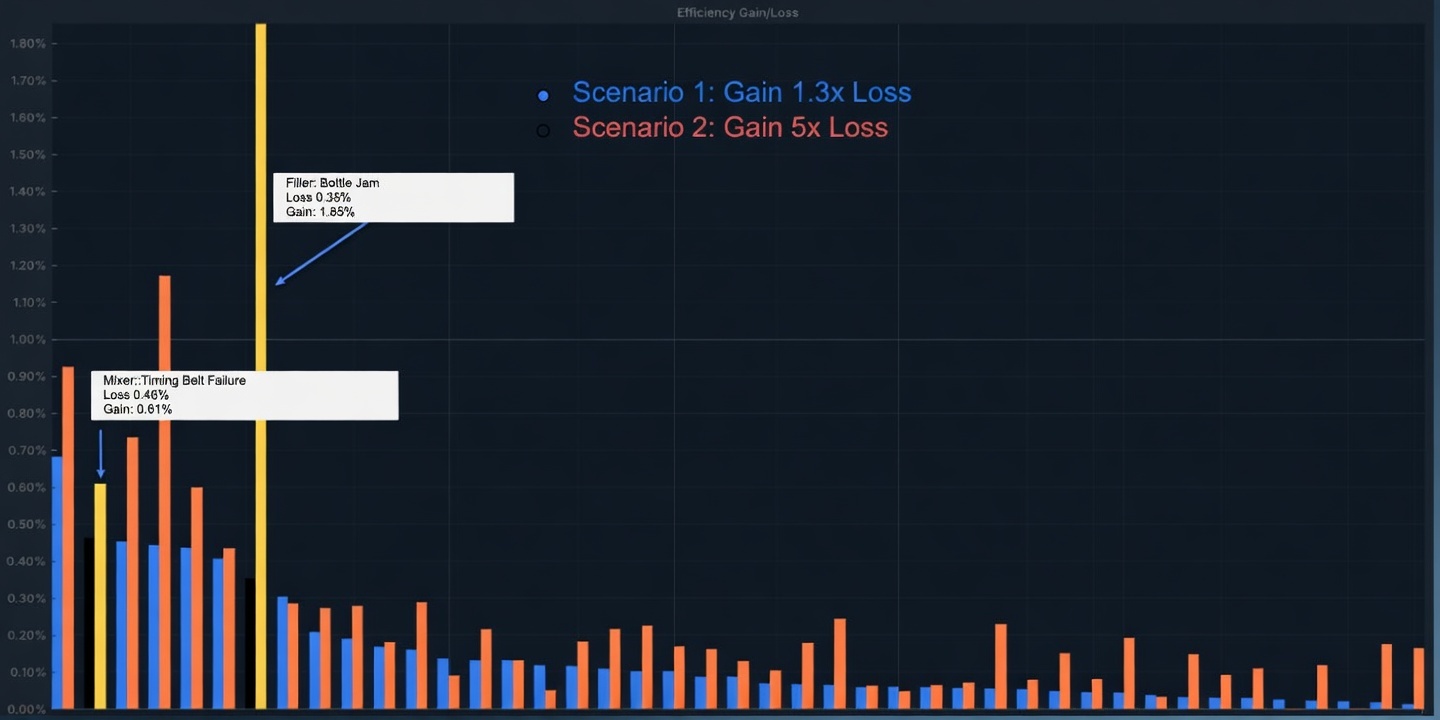
Eliminate failure modes one at a time. Measure the whole system. Gain ≠ Loss — always.
Same loss. Completely different recovery.
Commit capital where the validated model says it belongs — not where your Loss Tree guesses.
These aren't hypothetical — they're the capital and operational questions that determine whether your next investment pays off or falls flat.
ReliaSim exposes your production model through a Model Context Protocol (MCP) server. Claude and other AI assistants can load, inspect, simulate, and interrogate your model in plain language — no copy-paste, no screenshots.
Ask about node types, buffer positions, interrupt configurations, and constraint availability — all in plain language from your AI assistant.
Run simulations and get back per-constraint availability, OEE, and multi-run statistics instantly.
Get buffer utilization, inflow/outflow, and percentage time empty or full. See constraint timelines and throughput distributions across replications.
Visualize your production topology and export detailed reports — all from a single conversation. Share with your team without leaving the chat.
Responses powered by your specific validated production graph — not a generic AI.
"Those 120 one-minute interruptions are creating cascading problems throughout your system that don't show up under the original problem's name. When you eliminate them, you often recover 180–220 minutes of uptime — significantly more than the original downtime suggests. The only way to predict this accurately is through simulation."
"It runs on my desktop. No integration, no IT project, no waiting. I just install it and start modeling."— Engineering Leader, Essity
Three ways to start — from free tools to a guided demo with your own data.