Your historian shows what happened. ReliaSim shows what will happen—a validated crystal ball for production decisions that reveals the leverage points traditional analysis systematically misses.
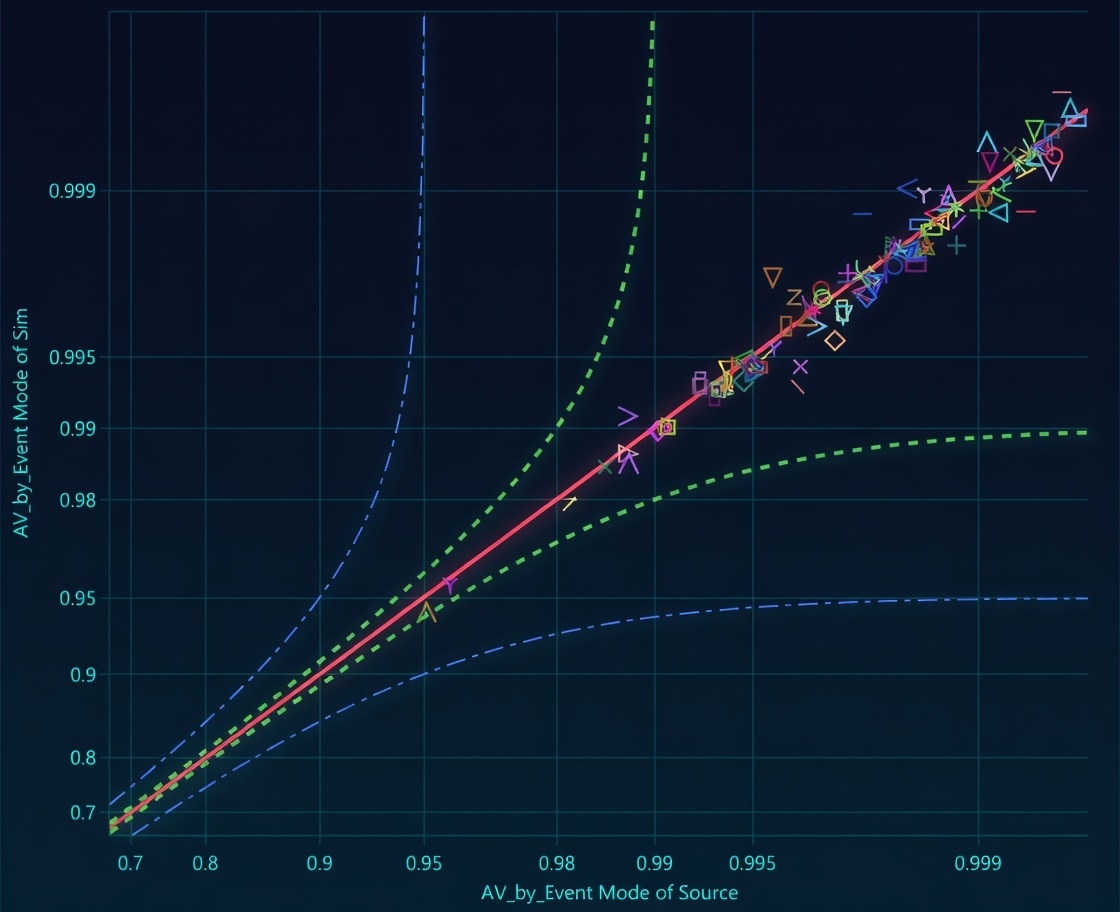
Validated within 1% OEE accuracy — Tom Lange, 36 years P&G
Each step builds on the last. Skip one, and your predictions lose their foundation.
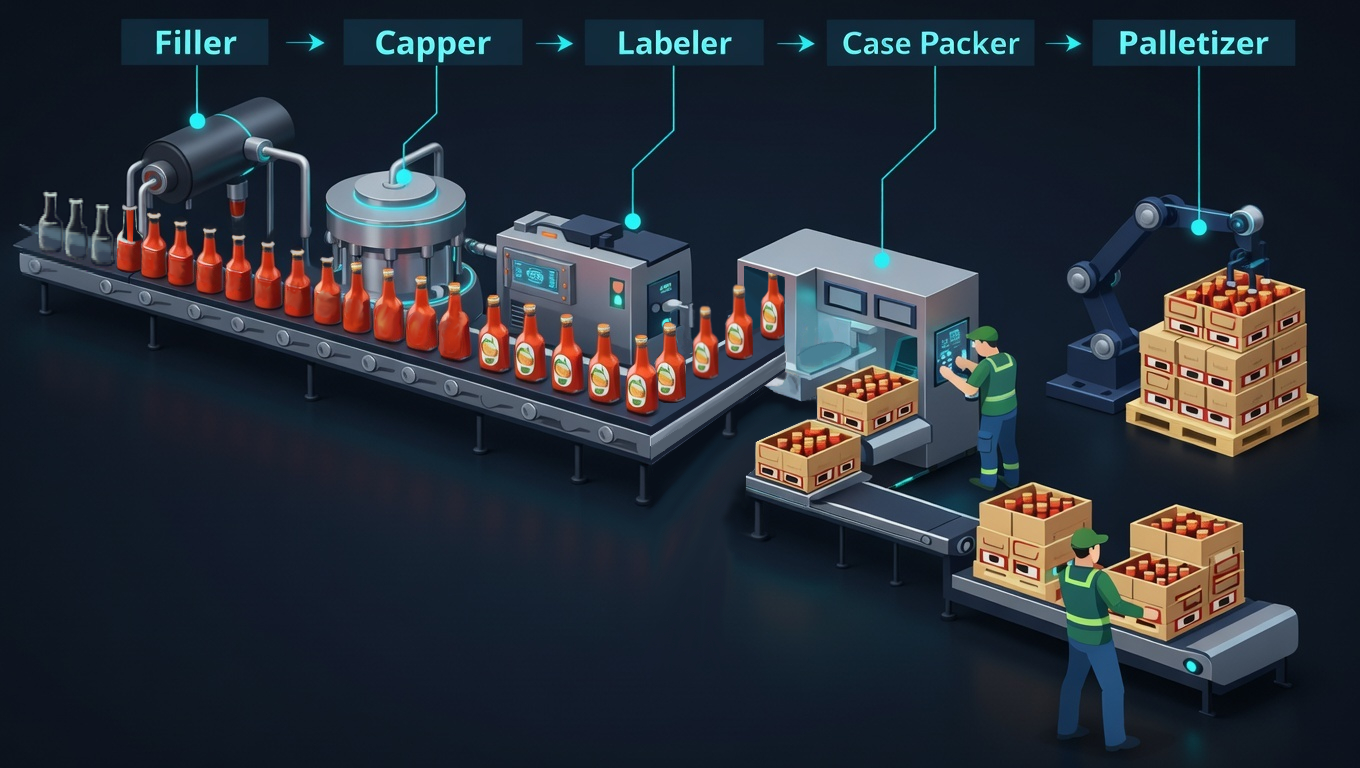
Set your scope. Establish rates and conversions. Mark where decoupling exists today — and place zero-capacity buffers where it could exist tomorrow. Your Perfect Production pops right out as the OEE denominator.
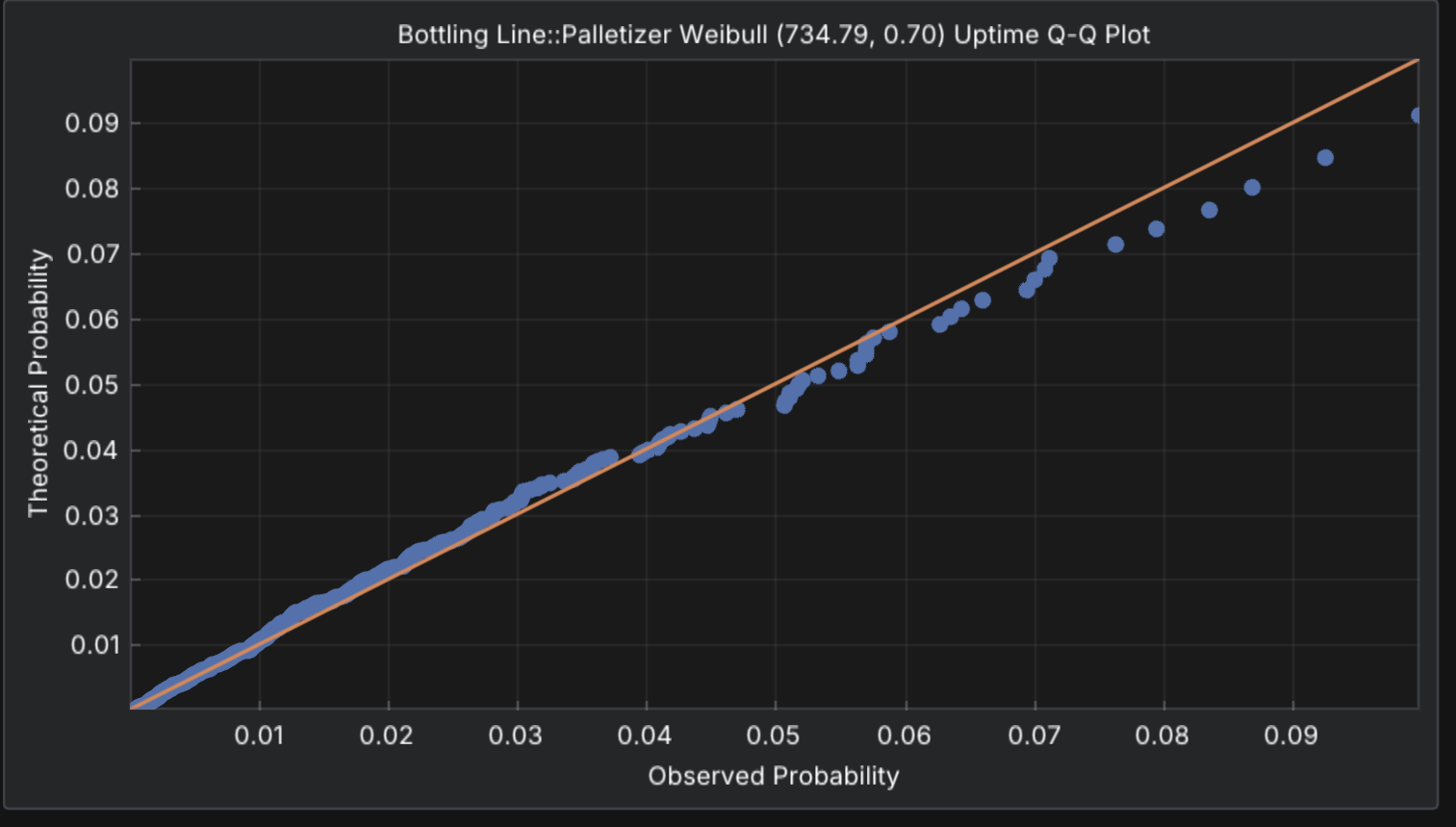
A graph without failure behavior is just a flowchart. Each machine needs its interrupts characterized — not just the mean downtime, but the shape of its failure distribution. The shape determines the through-time behavior. You don't always draw the mean.
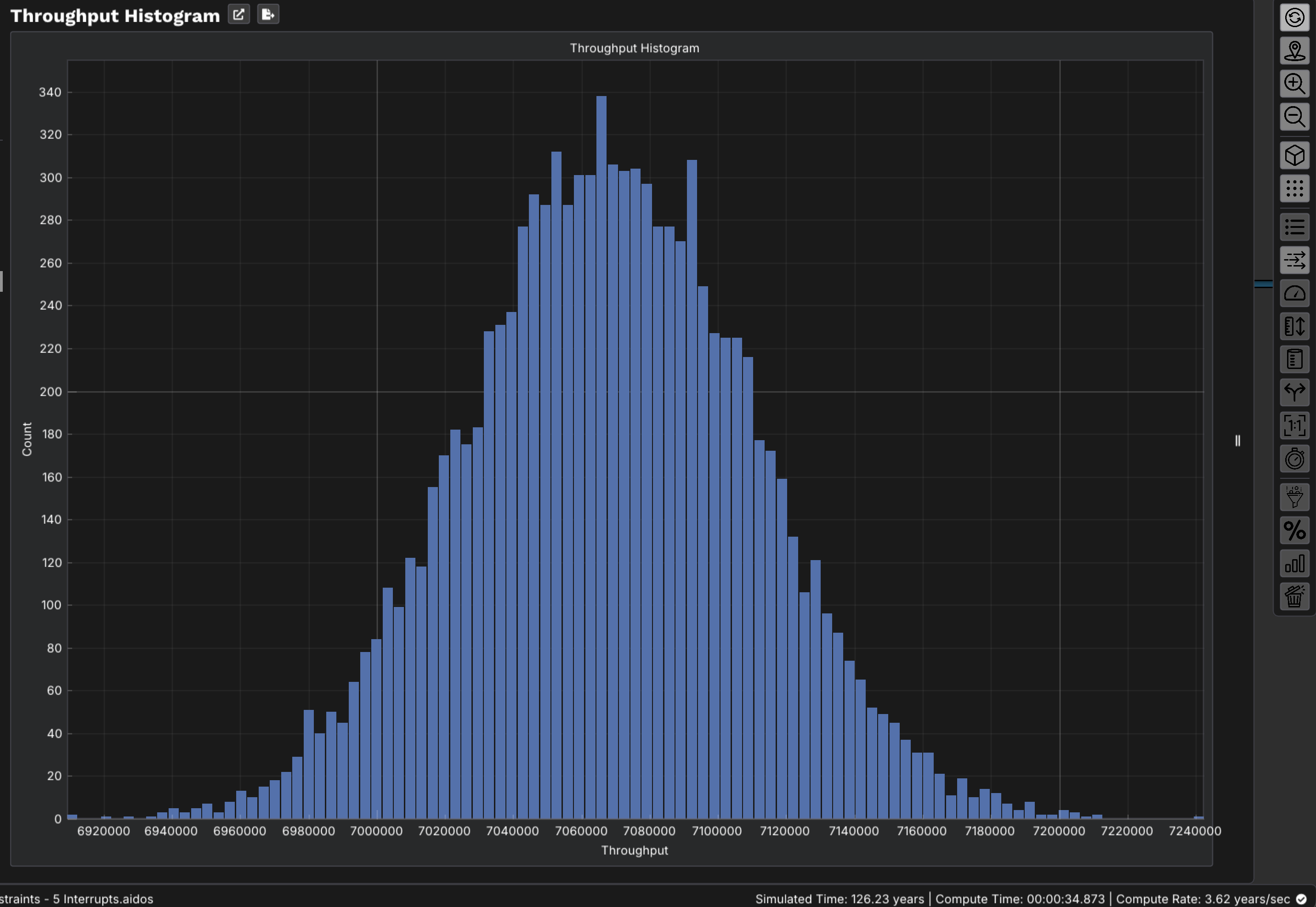
Run your model as-is, with no changes. Watch how production behaves through time—where flow stalls, where buffers empty, where throughput is lost before it ever appears in your Loss Tree.
Simulation is only as valuable as its credibility. Validation closes the gap between model output and historical reality—giving you the confidence to act on predictions rather than hedge against them.
This is where traditional analysis fails and ReliaSim shines. With a validated model, you can test changes before spending a dollar—and discover that your true leverage points are rarely where your Loss Tree says they are.
The sequence ends where the business begins. Armed with validated predictions and ranked experiments, you move from strategic uncertainty to strategic intelligence—committing capital where the model says it belongs.
Manufacturing systems exhibit emergent behavior—cascade effects that never appear under the original problem's name in your Loss Tree. The sequence is designed to surface them.
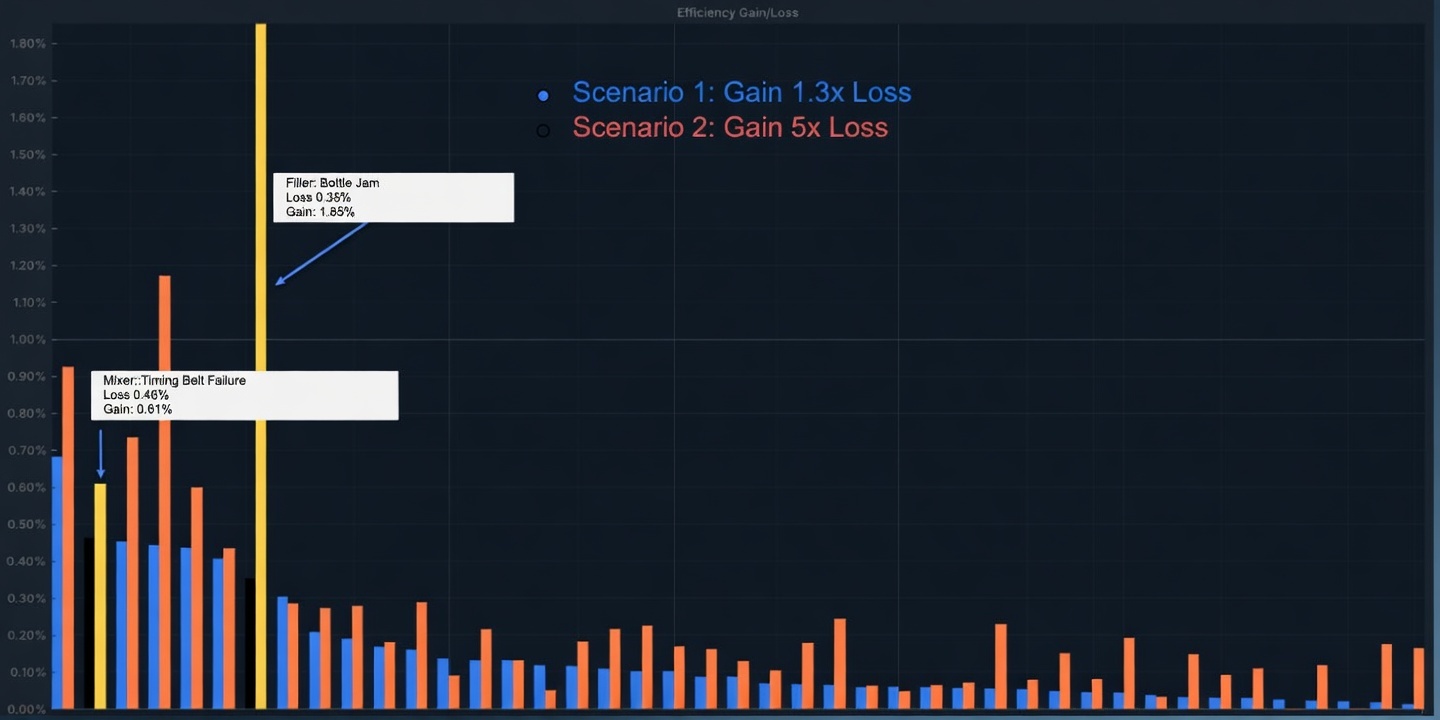
"The bottle jam's direct loss is only 0.35% — less than the timing belt's 0.46%. But eliminating the bottle jam recovers 5× its loss. The timing belt? Only 1.3×. Subtractive thinking gets this wrong every time."— The Paradox of Averages, ReliaSim core methodology
Loss Trees record what happened as independent events. Competing risk modeling reveals they're statistically interdependent—the jam at 10:23 was precipitated by system stress from prior interruptions.
A model you experiment on before validation is a model you can't trust. The sequence enforces the discipline that separates confident investment from costly guesswork.
The bottle jam with 0.35% loss returns 5× its loss when eliminated. The timing belt with 0.46% loss returns only 1.3×. Subtractive thinking would never find this.
Before ReliaSim, capital and labor decisions were made on spreadsheets and gut feel. Now plant managers run what-if experiments on a validated digital twin in real time—ranking improvements by actual recovered throughput before committing a dollar.
The six-step sequence is how Fortune 500 manufacturers validate capital decisions before committing.
ReliaSim gives plant managers the tools to run every step—from production graph to confident decision—without needing a simulation expert in the room.